Example 1
You can see a HTML file open on Notepad++ and containing tags and text.


We learnt how to create webpages using HTML (HyperText Markup Language) and Notepad++ editor. HTML was developed at CERN in 1989 by Tim Berners-Lee.
To create a HTML file, information must be written within tag pairs such as <html> and </html>. Examples of important tags are <head>, <body>, <title> or <p>. It is important to use the less than and greater than signs to close a tag pair, although some tags don’t need to be closed, such as the ones used for links. They are called standalone tags.
In HTML, we can also refer to images, which we can store in a folder. When referring to them, it is not recommended to use absolute paths, which start from the root element, like “C:/Users/Xenia”, because other computers cannot access these root elements. We should use relative paths indicating the folder where the images are located. We can also use “../” to tell the web browser to “get out of” the folder where the HTML is located.
We have learnt to create static webpages which we can translate using CAT tools, i. e. SDL Trados. It is recommended to avoid translating with Notepad++ because it doesn’t have spellcheckers or translation memories and we risk damaging the code. After using Trados, we should check that everything works. We have also learnt how to link webpages, which is very useful for creating a bilingual structure on this website.
When referring to languages, we shouldn’t use flags or language codes (EN) due to accessibility reasons. Instead, we should use their name in the original language. Otherwise, on a Chinese website, it would be very difficult to find the English version if we don’t know the Chinese equivalent of the word English. Language codes are used in html or CAT tools. If we want to ensure compatibility, it is not recommended to specify a region, but some tools like Trados force us to add a region code. For example, following the Internet Assigned Numbers Authority (IANA)’s guidelines, for English from the United Kingdom, we should use en-GB.
It is also possible to create semi-dynamic websites with JavaScript or Flash, which provide some dynamism, or dynamic ones with tools such as CMS (Content Management Systems). At this point, it would have been interesting to learn a bit more about CMS.
This module provided us with some other web design recommendations, such as avoiding chaotic distribution, patterned designs, aggressive colours, low contrast between foreground and background colours, too many icons, small fonts, images and texts and, finally, low, very good quality and stretched images.
I would also like to add that this module has really helped me to create this website. However, I had to find information online about tags that I needed to use. In fact, it has been a trial and error experience.
More specifically, during the lab, we modified HTML code, we localised a website using SDL Trados Studio and we linked several HTML files. You will find some examples below.
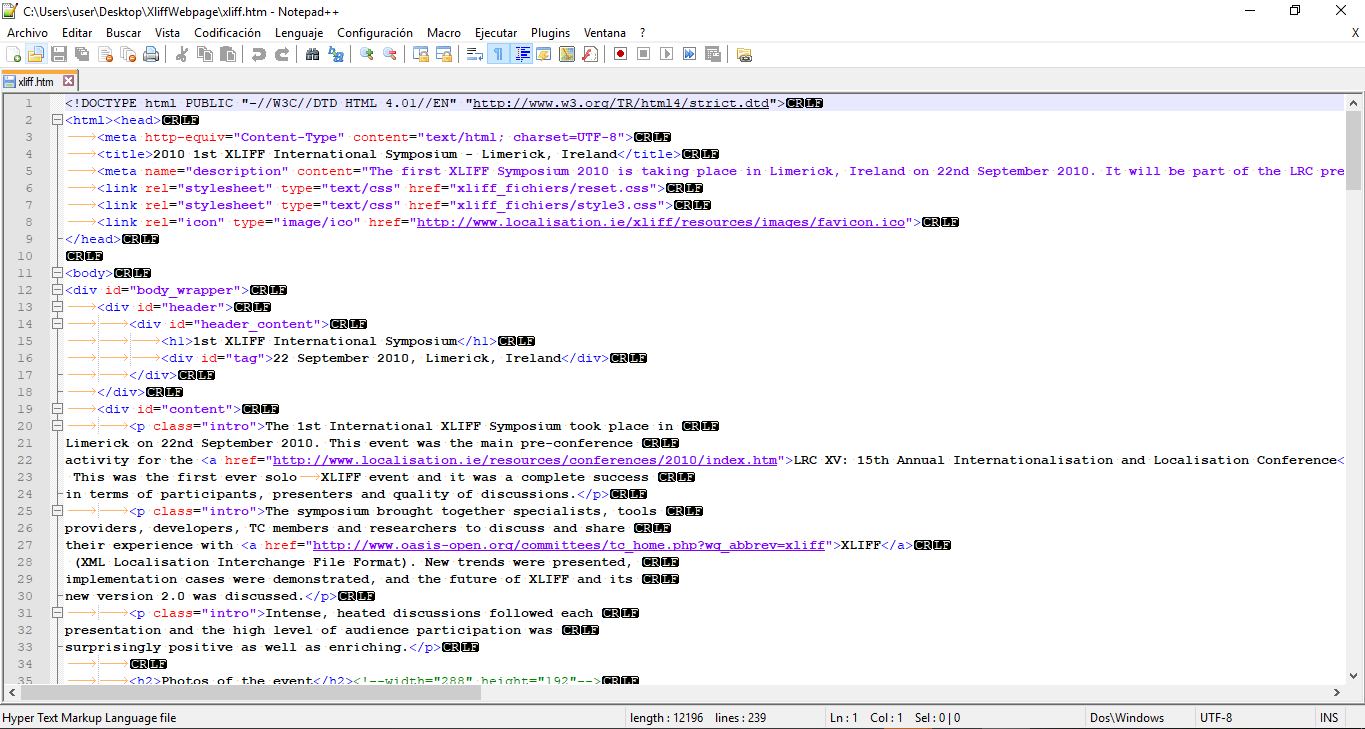
You can see a HTML file open on Notepad++ and containing tags and text.
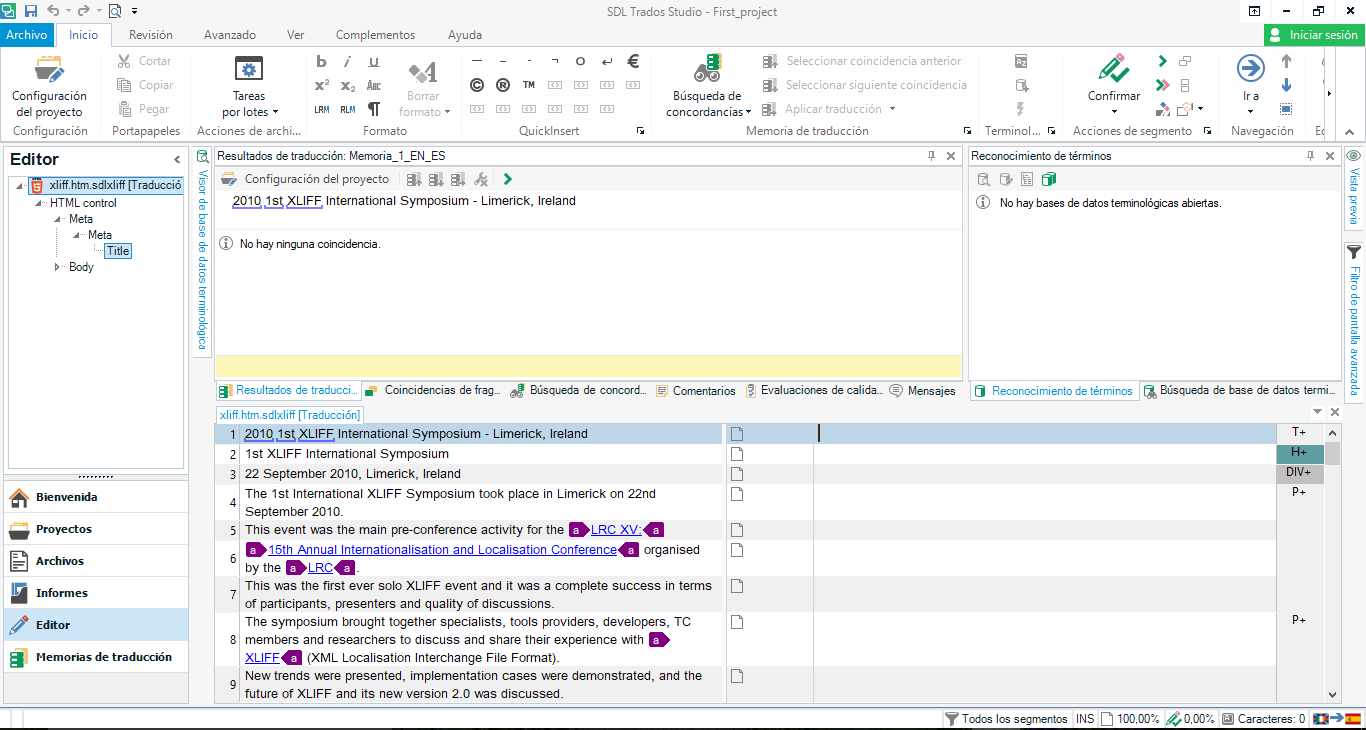
As you can see, SDL Trados Studio can be used to translate text in html files.
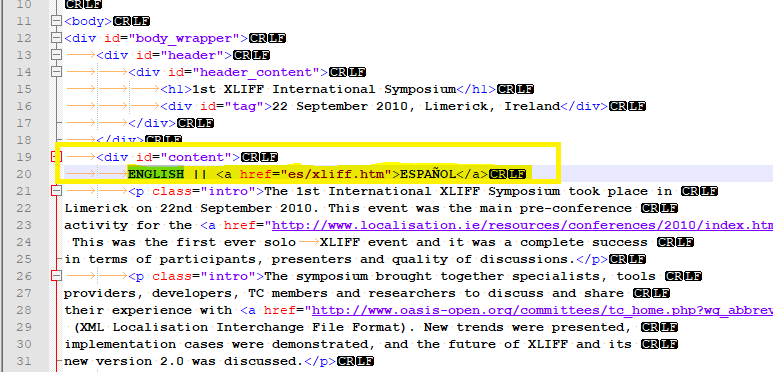
This screenshot contains an example of a link to the Spanish version of the html file. This website has then a parallel structure.